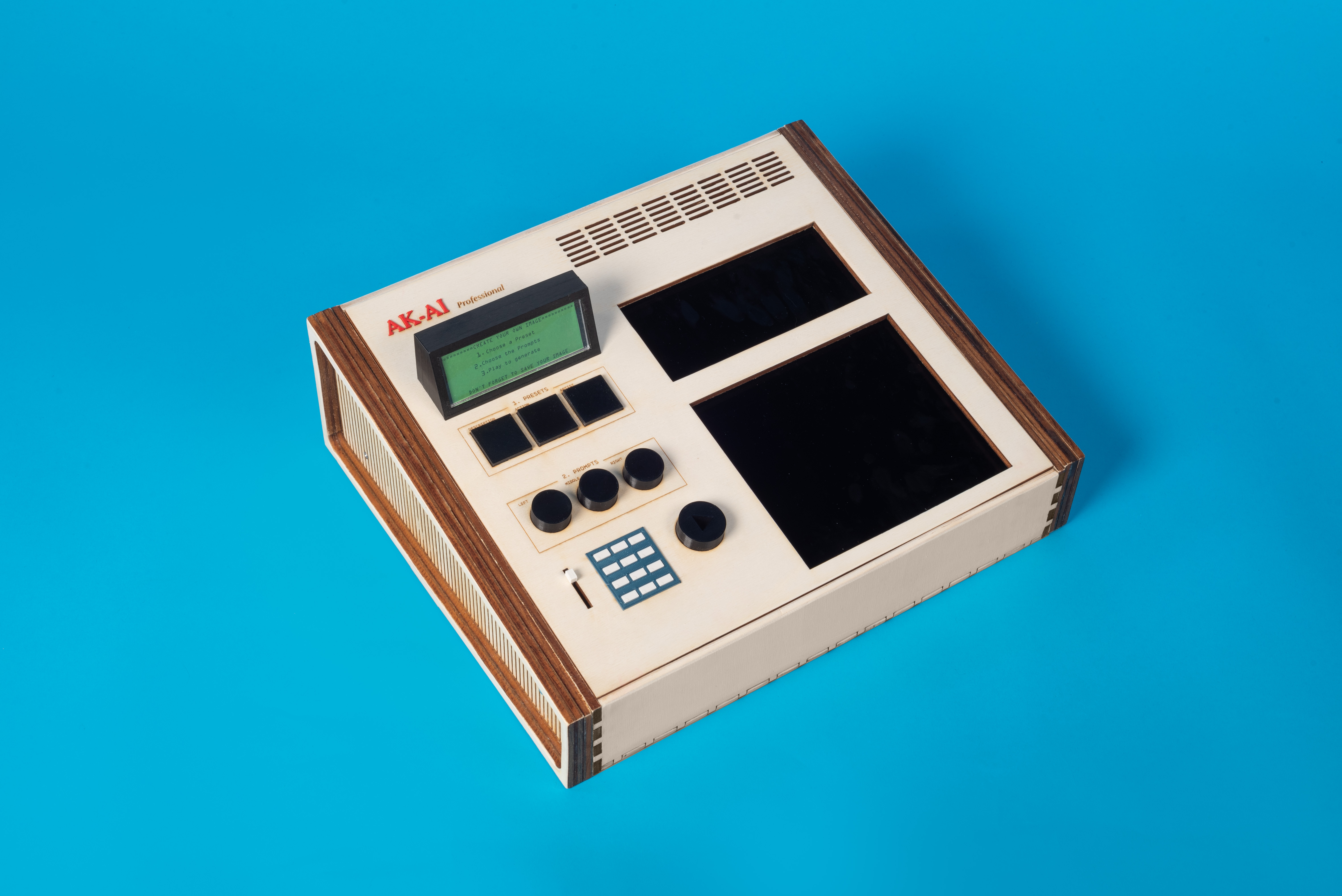
The given brief was "refabricating classics," which meant taking an old famous object and upgrading it using recent technology, including a smartphone or tablet as a component. After some consideration, we chose to work with the Akai MPC60, which was designed by Roger Linn in 1988. The MPC60 democratized the process of sampling in the production of music genres such as Rap, R&B, and Hip-hop.
The project was focused on designing the object in Fusion 360 and using rapid prototyping techniques to create a tangible interface for easy access to artificial intelligence technology.
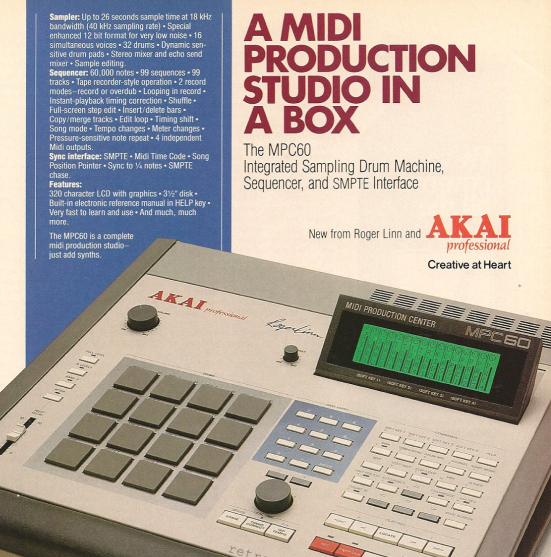
Our initial ideas
To upgrade the MPC60, we decided to integrate it with recent technology, including an iPad and artificial intelligence. We designed the AK-AI object to be a physical interface that allows artists to quickly generate compositional ideas or demonstrate technological advances to those who may not be comfortable with computers.
Overall, the AK-AI project was an opportunity to take an iconic object from the past and give it new life by integrating it with modern technology. The project not only allowed us to flex our design skills using Fusion 360 and rapid prototyping techniques but also provided a tangible tool that can help artists and professionals in the music industry to be more creative and innovative.
Physical aspects
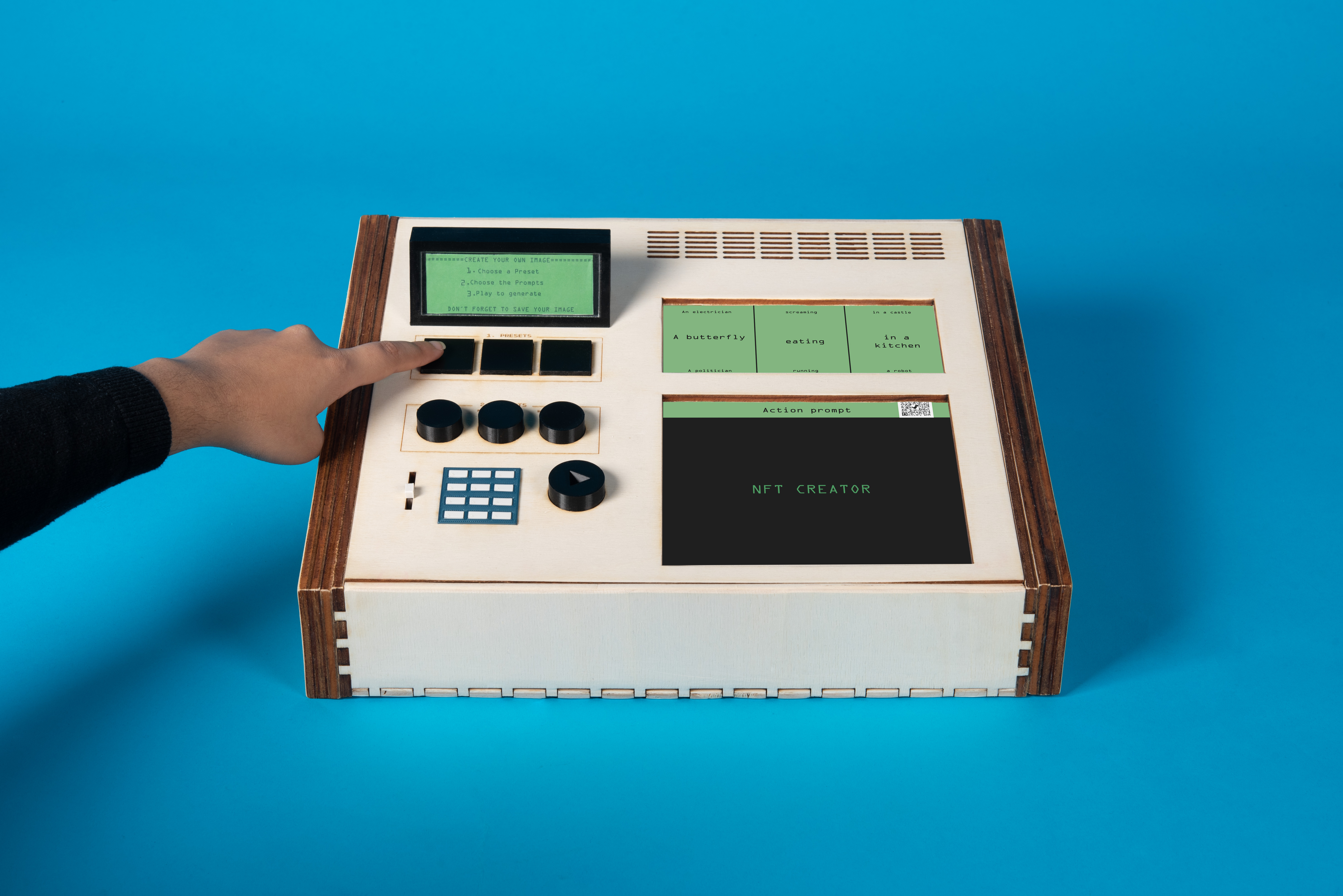
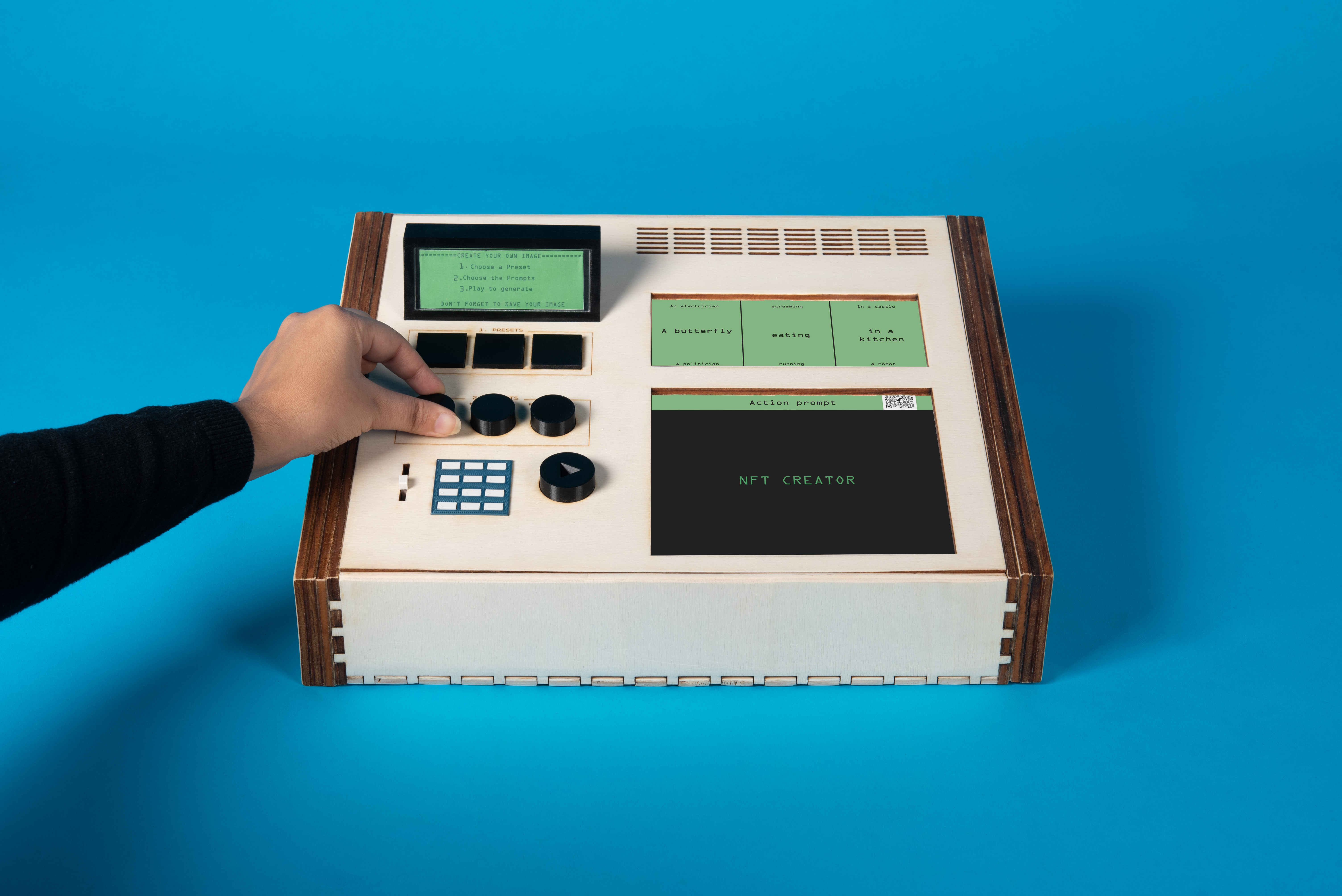
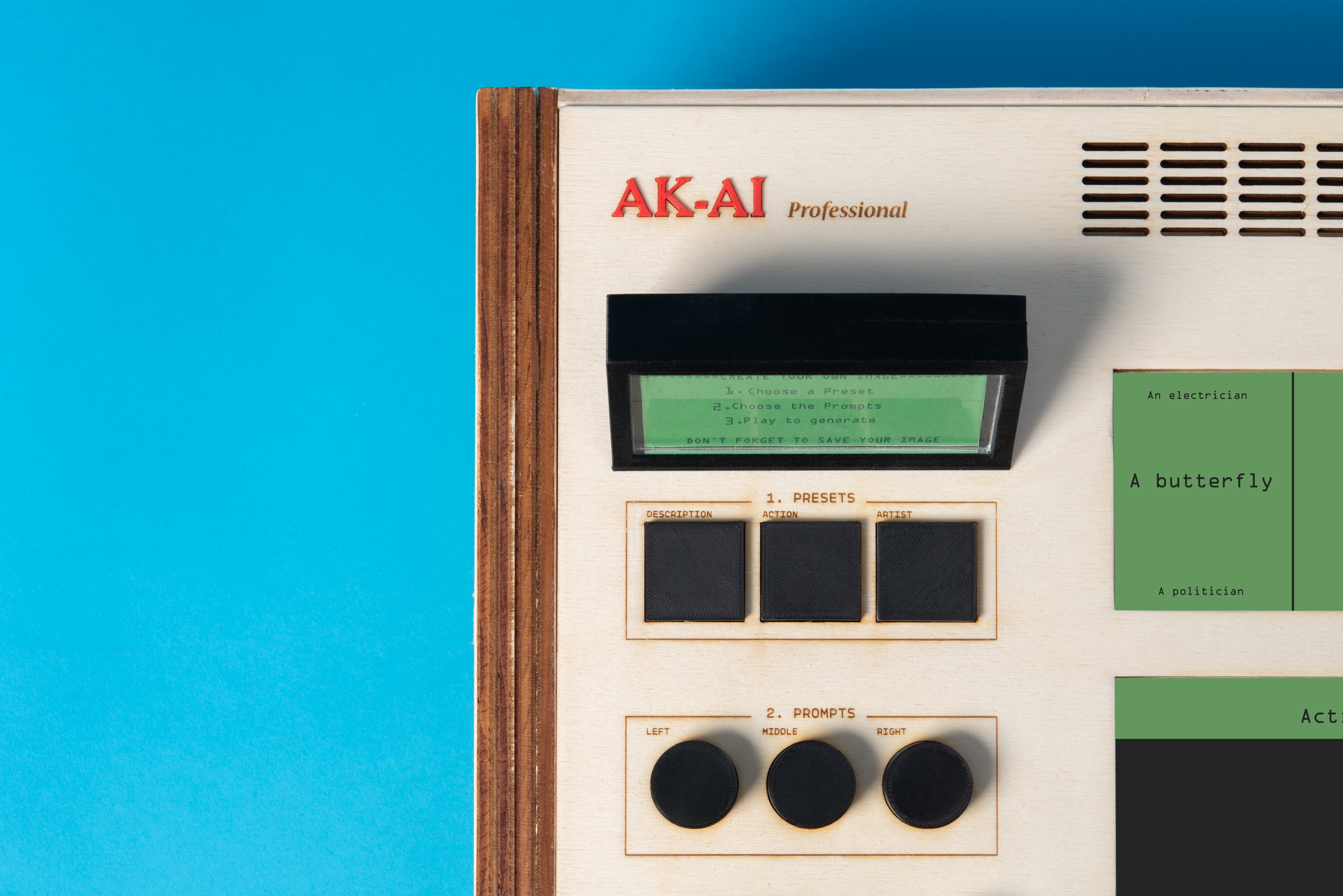
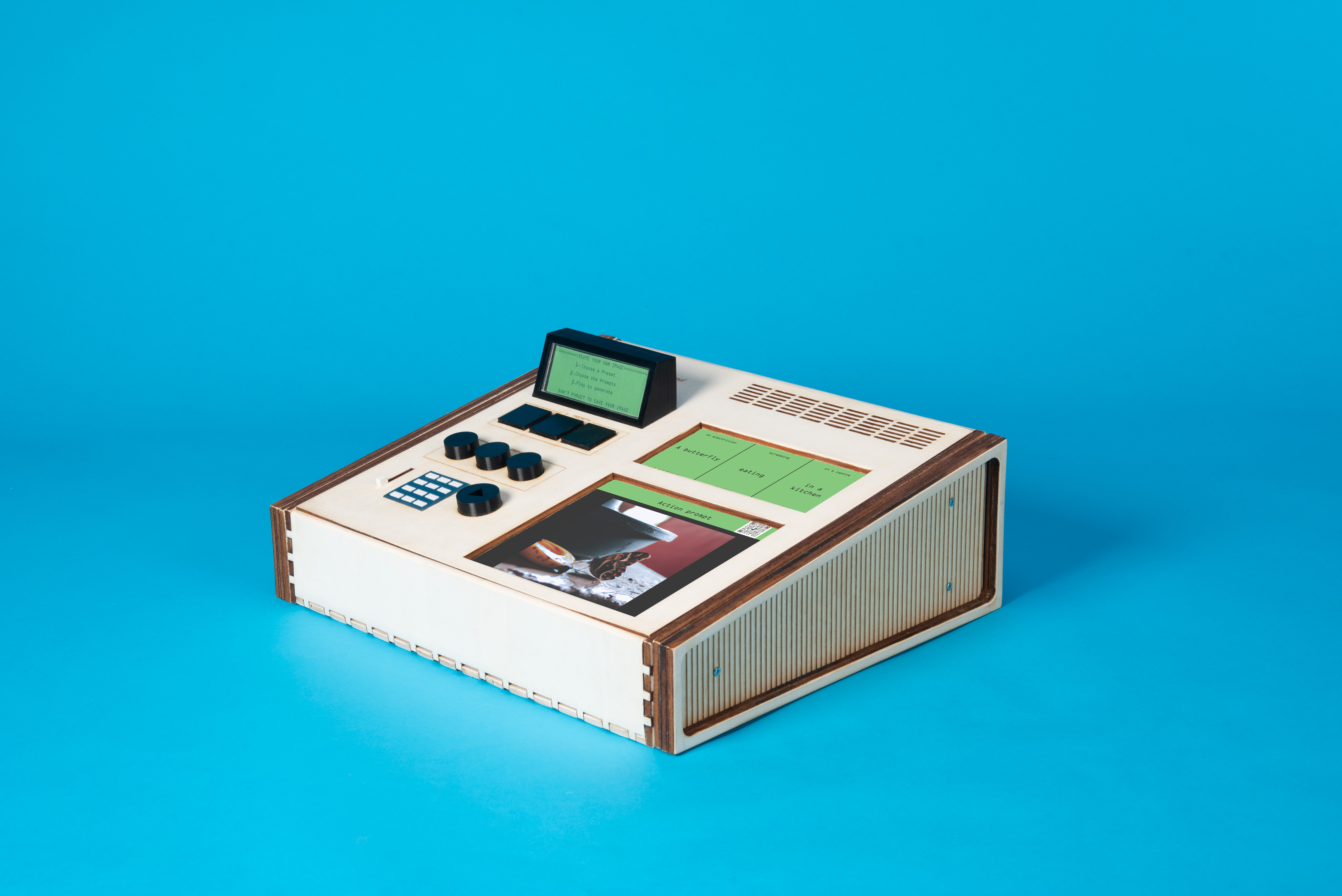
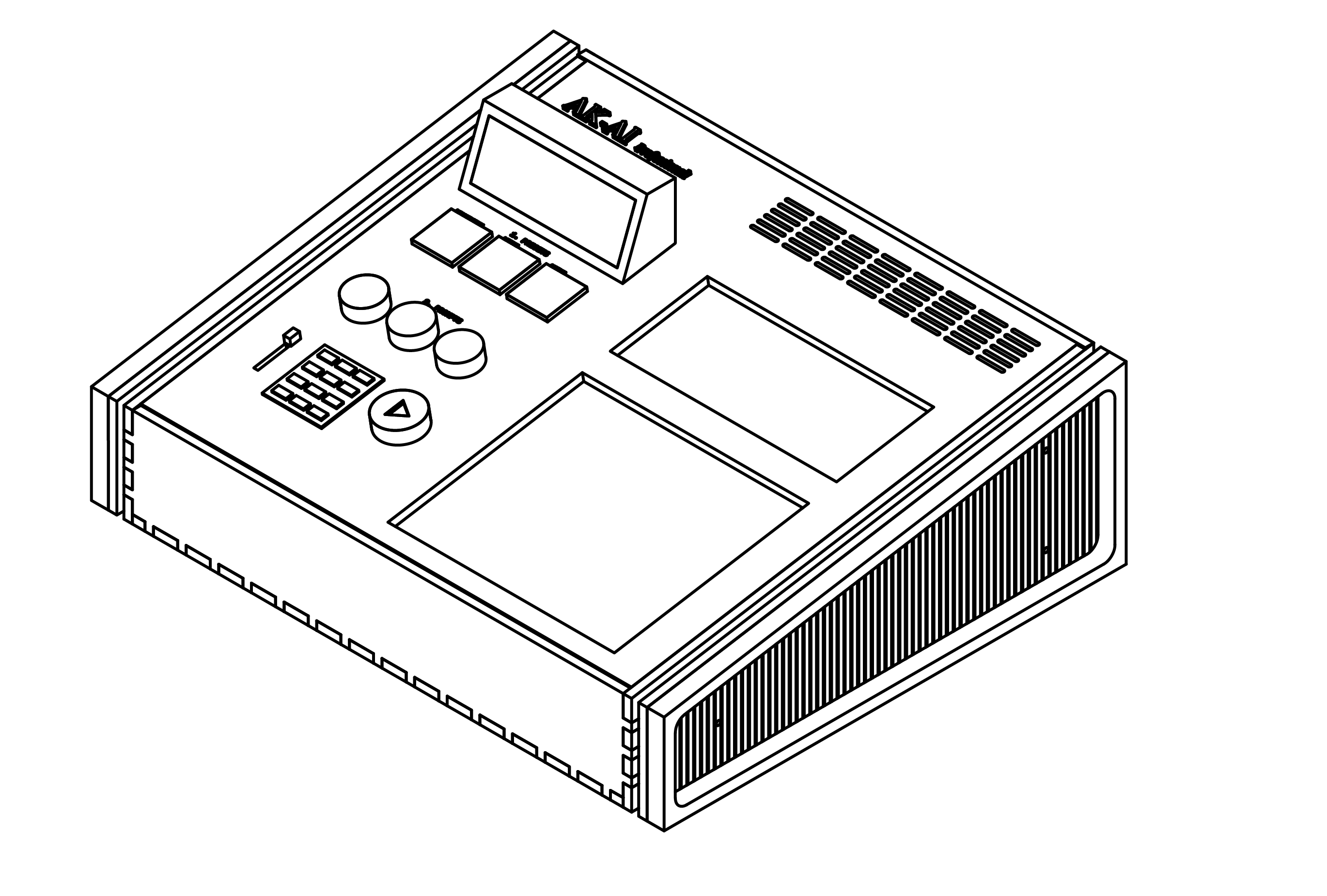
The AK-AI is a physical device that enables users to customize and generate images. The device has a left and right side. The left side has buttons labeled "Presets" that allow users to choose from three options: Artist, Description, and Action. Users can then build their prompt using turning buttons that correspond to specific parts of the prompt. Each turning button allows the user to browse through a text list for each part of the prompt. Once the user is satisfied with the prompt, they can press the play button. The web server will then request an API with the prompt as a parameter. When the API returns a result, the AK-AI device will display the image on the main screen and generate a QR code for the user to download the image.
NFT-CREATOR is a tool that is both educational and professional, and it can create excitement and curiosity in users when they see the generated images. The tool's mini-screen displays written instructions, and real-time updates make it easy to use. With numerous buttons, the tool provides a high level of customization for users. Additionally, it could be enhanced by integrating other features of the OpenAI API, such as image editing or variation. Connecting the tool to a personal folder or archive could add more customization options. If the Ipad is replaced with a smartphone, the overall size of the AK-AI could be reduced, making the tool more mobile and accessible to a wider range of users.
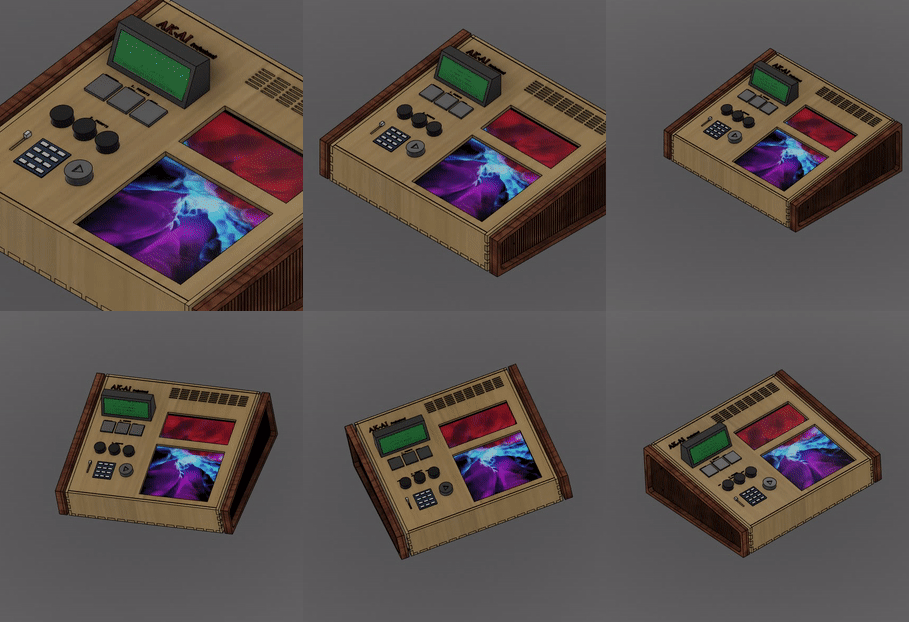
The development of NFT-CREATOR is intended to provide an easy-to-use, physical interface for accessing artificial intelligence technology. This tool allows artists to quickly generate compositional ideas or demonstrate technological advances to those who may not be comfortable with computers. With pre-made prompts, even individuals who do not know how to write prompts can benefit from AI-based image generation in just a few clicks. To improve AK-AI, more customization options could be added, such as additional parts to the prompt, color or mood options. Additionally, a database could be created to offer more presets that would cater to the needs of a wider range of users.
Process
To start, we used the 3D modeling software Fusion 360 to design each part of the AK-AI object. This included the case that holds all the components, the buttons that allow for user interaction, and the supports that secure the iPad and buttons in place.
Once all the parts were modeled, we separated them into individual files and prepared them for either laser cutting or 3D printing. For the buttons, we opted for 3D printing as this allowed us to customize their shape and texture to best fit the user's needs. On the other hand, for the box/case, supports, and side handles, we chose laser cutting as it provided a cleaner and more precise cut for the acrylic material we used.
The buttons were printed using a 3D printer, and we ensured that they were accurate and functional before proceeding to the next step. Meanwhile, the box/case, supports, and side handles were cut using a laser cutter. We paid close attention to the measurements and positioning of each part to ensure that they would fit together perfectly.
After all the parts were produced, we assembled them into the final product, which we call AK-AI. This involved securing the iPad and buttons in place using the supports, attaching the side handles to the box/case, and ensuring that everything was aligned and functioning correctly.
Throughout the design and creation process, we kept in mind the user experience and ensured that the AK-AI object was not only functional but also easy to use and aesthetically pleasing. The result is a tangible interface that provides easy access to artificial intelligence technology and allows artists to quickly generate compositional ideas or demonstrate technological advances to those who may not be comfortable with computers.
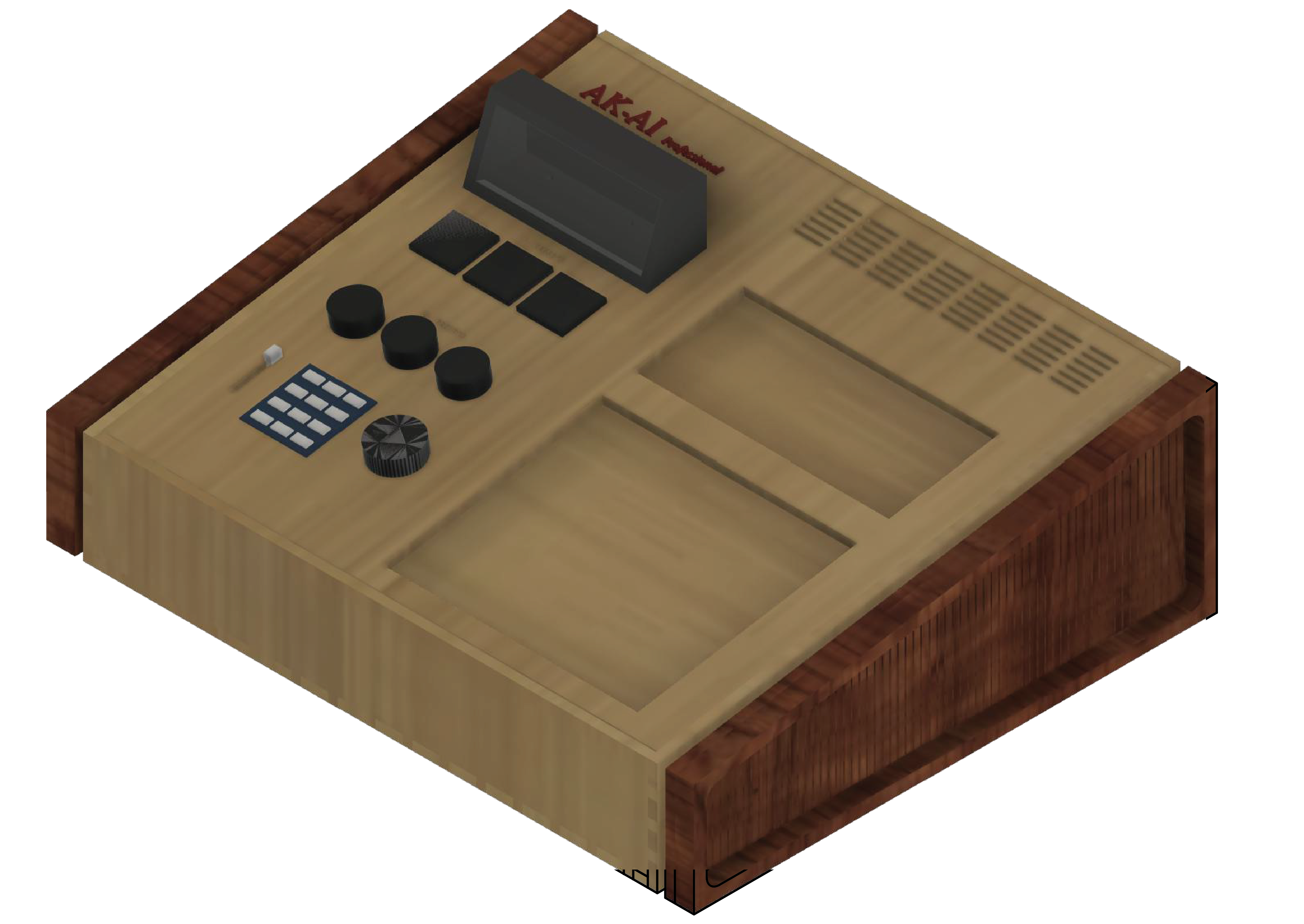
How to use:
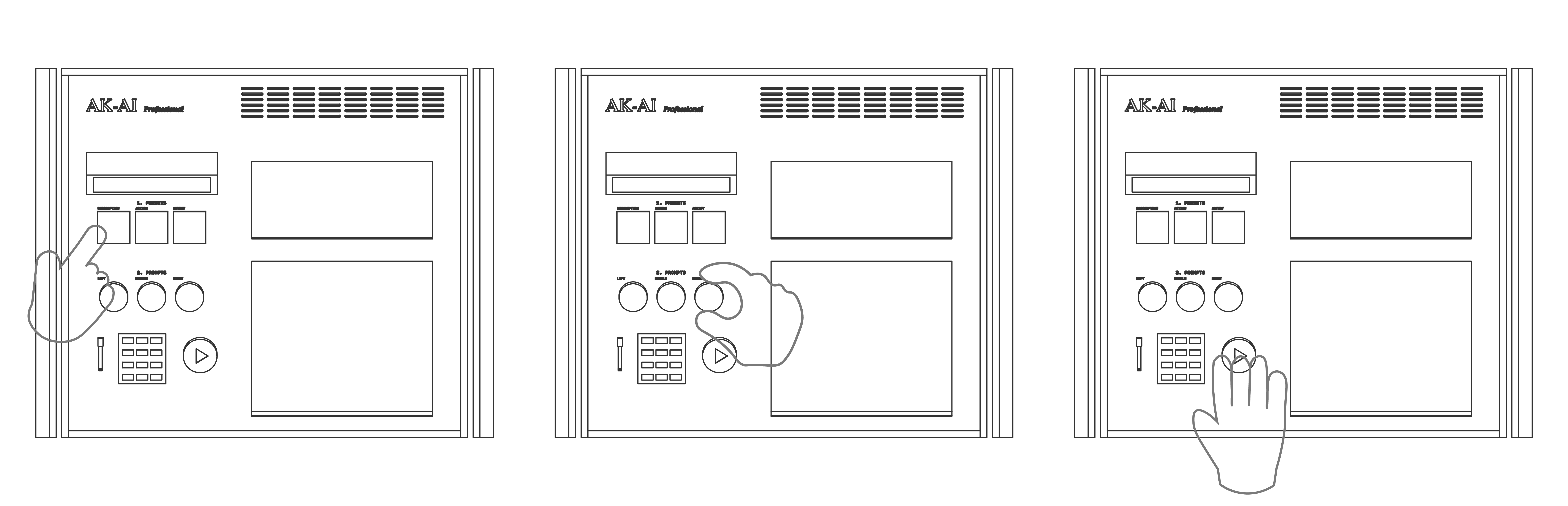
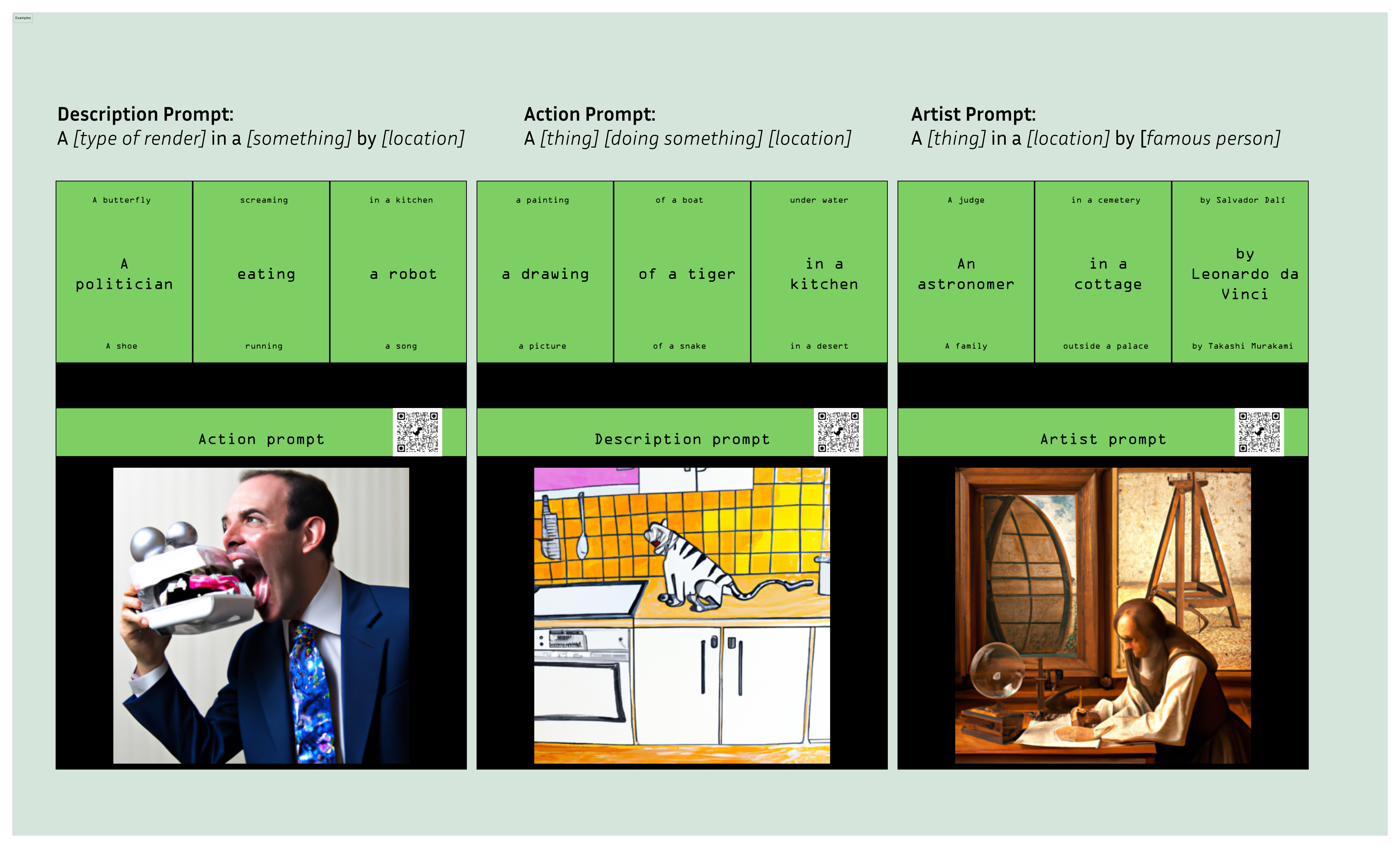
The first buttons on the left side of the device are labeled "Presets." These buttons correspond to a specific type of prompt, and there are three options available: Artist, Description, and Action. Choosing a preset is the first step in building the prompt, and each turning button on the device corresponds to a specific part of the prompt: left, middle, and right.
Once the user has selected a preset, they can begin building the prompt by turning the corresponding buttons to browse through the text list for each part. This customization process offers a high degree of flexibility and personalization to the user.
After the user is satisfied with the prompt, they can press the play button. At this point, the web server requests the API with the prompt as a parameter. When the API returns a result, AK-AI displays the image on the main screen and generates a QR-Code to download the image. This interface and interaction modality provide an intuitive and accessible way for users to generate AI-based images with just a few clicks.
Here are a few examples:
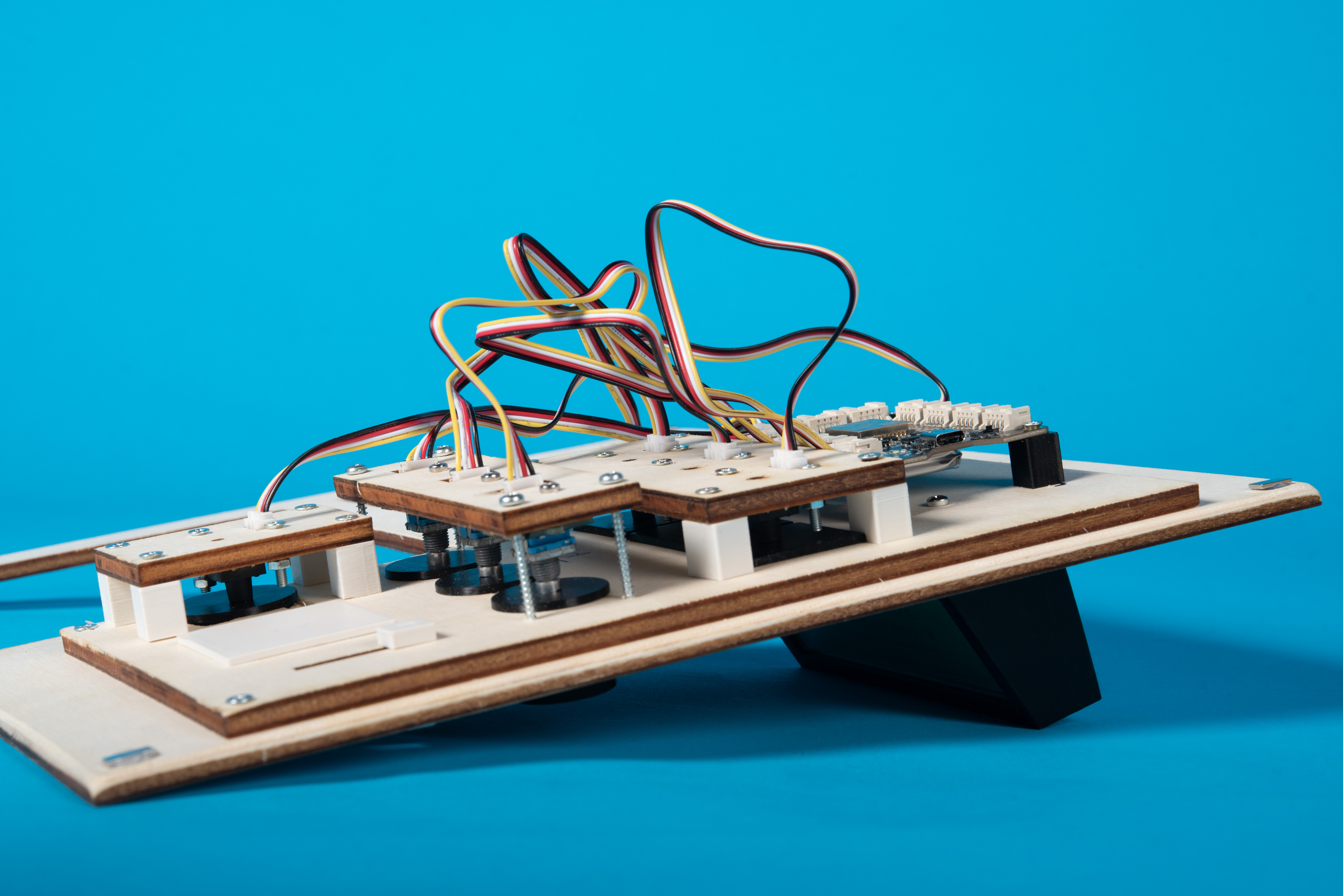
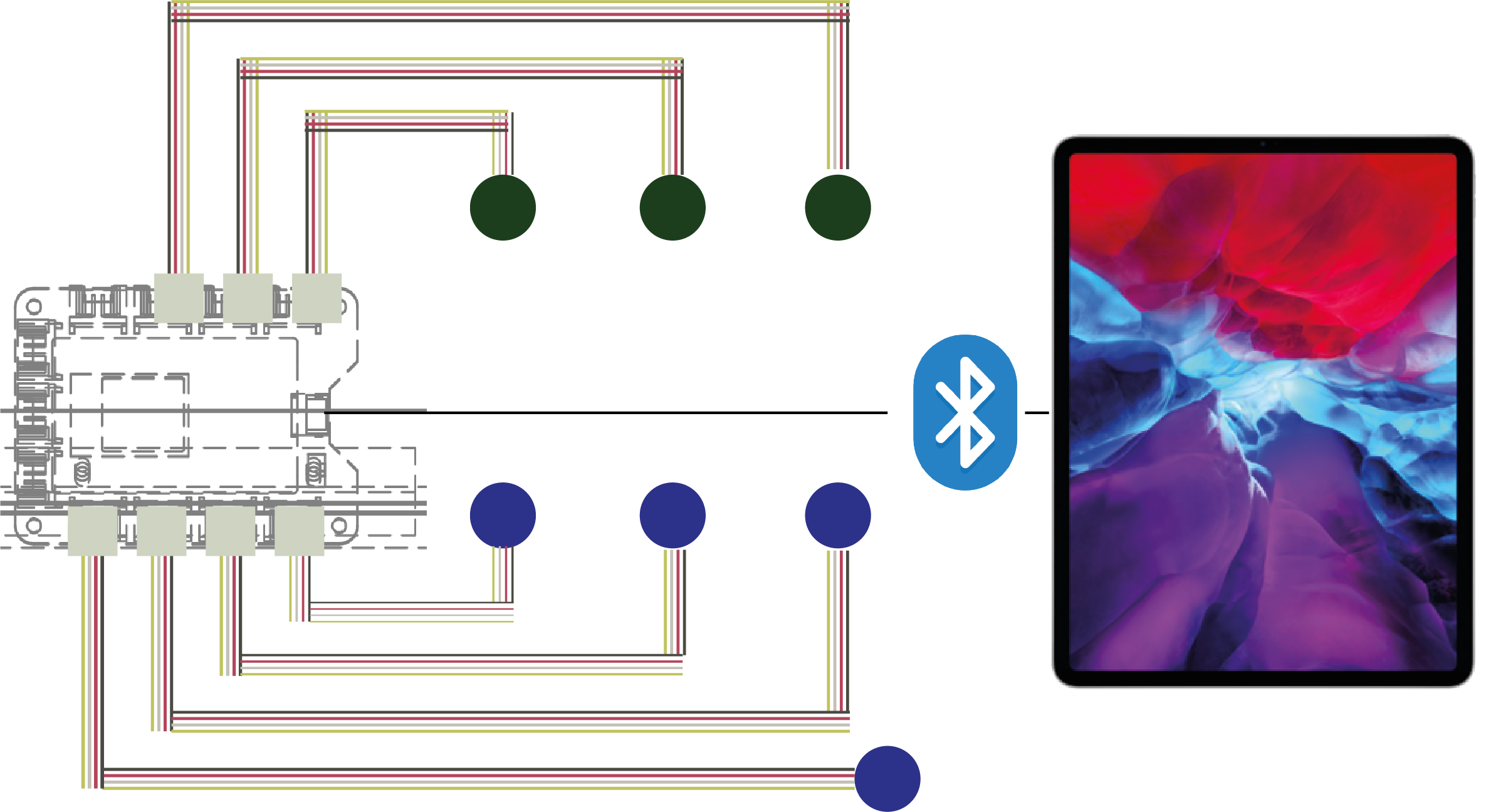
To create the electronic components of the AK-AI object, we utilized an Arduino and Grove buttons. The turning buttons on the device, which allow users to browse through the text list for each part of the prompt, were created using Grove buttons. The presets and generating buttons were created using pressing Grove buttons. This combination of hardware provides a reliable and accessible way for users to interact with the AK-AI object.
These are the interactions: